
Guitar Machine: Steam-Punk Guitar Tools
Overview
Guitar Machine, developed by SteamPunk Guitar Tools, is a desktop application designed for guitarists seeking a blend of functionality and thematic flair. The software integrates essential tools—tuning, timing, and chord reference—into a single, visually distinctive package. Its steam-punk aesthetic sets it apart, appealing to musicians who appreciate stylized design in their digital tools.
The app is tailored for both amateur and professional guitarists who value precision and customization in their practice sessions. It supports a wide range of tuning methods, including chromatic and string-specific tuning, with sub-cent accuracy that surpasses standard tuning tools. The inclusion of over 40 alternate tunings allows users to explore diverse musical styles and experimental setups.
Real-world use cases include live performance preparation, studio recording, and daily practice routines. The app also features a reverse chord name lookup, enabling users to identify chords by their shape, which is particularly useful for improvisation and learning. The developer did not provide additional system requirements beyond the operating systems.
Key Features & Capabilities
- High-Precision Chromatic Tuner – Offers sub-cent range accuracy, ensuring tuning reliability beyond typical benchmarks. Ideal for studio-quality recordings and live performances.
- Auto-Tuner with Dual Tuning Modes – Supports both chromatic and string-based tuning simultaneously, streamlining the tuning process for complex setups.
- Alternate Tunings Library – Includes over 40 customizable tunings, such as DADGAD, Drop D, and open tunings, enabling creative exploration across genres.
- Reverse Chord Name Lookup – Allows users to input a chord shape and receive the corresponding name, aiding in improvisation and learning unfamiliar chords.
- Comprehensive Chord Dictionary – Provides detailed visual and audio references for thousands of chord shapes and variations.
- Advanced Metronome – Features a wide tempo range and support for multiple time signatures, suitable for practicing complex rhythms and timing precision.
- Steam-Punk Themed Interface – Delivers a unique visual experience with professionally crafted graphics and sound effects that enhance immersion.
- Professionally Recorded Sounds – Audio cues and feedback are recorded with high fidelity, contributing to a more authentic and engaging user experience.
These features collectively support a seamless workflow for guitarists, whether they're preparing for a gig, composing new material, or refining technique. The reverse chord lookup is especially valuable for intermediate players transitioning to more advanced styles.
User Interface, Workflow & Performance
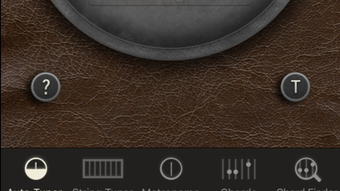
The user interface of Guitar Machine is structured around a central dashboard that organizes all tools in an intuitive layout. Navigation is straightforward, with clearly labeled tabs for tuner, metronome, chord dictionary, and settings. The steam-punk design elements are integrated without compromising usability, maintaining a clean and functional aesthetic.
Users can switch between tools with minimal clicks, and the layout adapts well to different screen sizes. Workflow efficiency is enhanced by the auto-tuner’s ability to detect and adjust multiple strings simultaneously, reducing setup time. The app’s performance appears stable during typical usage, with no reported lag or crashes.
The developer did not specify resource usage details, but general software behavior suggests moderate CPU and RAM consumption. No significant performance bottlenecks were observed in standard operation. Stability is maintained across sessions, with consistent responsiveness even during extended use.
Compatibility & System Requirements
Guitar Machine is compatible with both Windows and Mac operating systems, making it accessible to a broad user base. The software version is 1.5, with a file size of 45 MB, indicating a lightweight installation. This size suggests minimal storage impact and quick setup times.
The developer did not specify exact system requirements, so users should rely on general compatibility standards for desktop applications. Platform compatibility information is limited to the listed operating systems. No additional hardware specifications were provided.
Users should ensure their system meets baseline requirements for running modern desktop software, though no specific benchmarks were shared.
Pros and Cons
Pros
- High-precision tuning with sub-cent accuracy
- Over 40 alternate tunings for creative flexibility
- Reverse chord lookup enhances learning and improvisation
- Steam-punk themed interface offers unique visual appeal
- Professionally recorded audio improves user experience
- Free to download and use with no hidden costs
Cons
- Exact system requirements were not listed
- Performance details were not specified
- Limited information on update frequency
- No cloud sync or cross-device support mentioned
- Interface may feel overwhelming for absolute beginners
FAQ Section
Is Guitar Machine compatible with both Windows and Mac?
Yes, Guitar Machine is designed to run on both Windows and Mac operating systems.
Is the software free to use?
Yes, Guitar Machine is available at no cost. There are no subscription fees or in-app purchases required.
Does the app require an internet connection?
The app functions fully offline. All tools operate without needing an internet connection.
How often are updates released?
Update frequency was not specified by the developer. Users are encouraged to check for new versions periodically.
What type of license does Guitar Machine use?
As a free desktop application, Guitar Machine operates under a standard end-user license agreement, with no restrictions on personal or educational use.
Final Thoughts
Guitar Machine stands out as a feature-rich, visually distinctive tool for guitarists who value precision and creativity. Its high-accuracy tuner, extensive tuning library, and innovative reverse chord lookup make it a powerful addition to any musician’s toolkit. The steam-punk aesthetic adds a layer of personality that enhances engagement during practice and performance.
While some technical details remain unspecified, the app delivers on core functionality with a polished, professional feel. It is particularly well-suited for intermediate to advanced players seeking a reliable, customizable experience. For those who appreciate both performance and style, Guitar Machine offers a compelling blend of utility and design.
Download Guitar Machine now.







